Thursday, September 19, 2013

Facebook Messanger (Leaked)


Facebook after making FB messenger for iphone, Android and Blackberry made Facebook Messenger  for windows OS but not released to the public. This app is given to a group of few people in order to test it, but somehow it uploaded to internet and now Facebook officially released to public and i got it and bring it to you.
Facebook Messenger allows you to chat with your online friends just like Yahoo,Hotmail and Google Messenger (Google Talk), along with extra features. You can do live chat with your friends see friend requests and quick notifications. You can also recieve desktop notifications and also friend requests but it does not allow you to chat with groups. Also you can send messages to your friends.


FEATURES


   1)  Live chat with friends.
                   2)  Live notifications.
                   3)  Check friend requests easily.
                   4)  Desktop notifications.


NOTE


  •  At present this app is only for window 7 users, for older versions of windows users, Mac and Linux users will have to wait.
  • Always make sure that you must logged out and then exit, by direct closing app will minimize messenger to tray and you will remain logged in.

Windows loader (Vista, 7, Server)


After my previous post about the Windows 7 Activator, today i have made a plane to post something new about windows activator. Here is an other Windows Activator which have some Extra features and supports several Operating Systems. Windows Loader v2.1 is an amazing software for activating your OSs. You can activate windows as well as you can check your board also you can set Logo for OEM(Original Equipment Manufecturar).


Windows 8 Consumer Preview


Finally after Waiting so long, Microsoft Officially released Windows 8 Consumer Preview. It has Built in Softwares to make ISO files and burn it on the Compact Disc (CD). Various Bugs have been fixed. Be the first one to Download it.


As this is a Beta version so me and hope you all expect to have some new features in this beta version. For Example I want a new Boot up screen and don't want to have a start button :) like Ubuntu (Linux).


Like Windows 7, Windows 8 Consumer Preview check that will your PC able to run Windows 8 Consumer Preview or not So select the right Download. It also has upgrade assistance.


The Product key is " DNJXJ-7XBW8-2378T-X22TX-BKG7J "


Some Screen Shots:


How to Convert media files with VLC Media Player


As you all know that VLC Media Player is a unique and multi format media player and is widely used. I think all of you have this and if any one does'nt have this just have it "Click here".

VLC player have a stunning feature of converting videos in various formats.


In this tutorial i am going to tell you how can we convert videos using VLC Media Player. This conversion is fully customizable. It is very usefull because when you are in a hurry and you dont have any converting Software installed in your PC you can use VLC player without any hasitation.


There we go...!
First of all you have to start VLC player from start menu.
Now Press CTRL+R or by click on Media button from menu bar..


Earn Money Via Blogging


Millions of People earn money via blogging. It is an easiest way to earn money online. Blog is basically a platform to tell people about you, your hobbies, working and lifestyle. But now-a-days people use blog earn money and they earn handsome amount. So if you fond of writting then its the best way to earn online. Regularly write articles in order to get follower and traffic which is the mean of online earning.


Now you have to decide which blogging platform you should use, there are number of platforms but some are most popular these includes Blogger and Wordpress

Blogger:

        Google is the owner of blogger. Blogger is very easy and user friendly platform, simple to operate.

Wanna join just goto here.


Whereas


After setting up your blog you should make post and regularly do this . 1 post a day is not bad . This will help you to get good amount of visitors and followers.

Earning Via Google AdSense


Google AdSense is an advertisment program own by Google. This program serve you with relevent ads by giving you the unique HTML code which you have to insert into your code. This program pays you in such a way that when visitor clicks on the ad from your web page Google get some revenue and split this revenue in two parts one for Google and one for you, and i think the percentage is 50 % each.


This revenue varies from topic to topic.

If you want to apply to Adsense just visit Google AdSense sign up page , But keep in mind that you must lies perfectly on AdSense policy. Before applying you must read the following tips:


1. First of all you need to create a website or webpage to which you place ads and if you are not a proffesional web designer or developer than create a free blog. There are many blogging platforms but the most popular and is widely used is Blogger and Wordpress and post some quality posts or articles and take some time.


2. Post articles regularly in order to get handsome traffic and post the articles to social networks or article directories. This way you have regular flow of traffic.


3. After that you must read Google's Adsense terms and conditions on thier page.


4. After reading if you think your webpage/blog is perfect for adsense then go to Google AdSense sign up page fill the form and submit it. Google take atleast 1 week to check your blog whether or not you accepted into this program.


When you accepted for the program you will recieve confirmation E-Mail. After that sign in to your AdSense account and follow the steps to add the Ad code into your page.


Earning Via Shortening URL's by Adfly


Atleast 60% of internet users have their own website or blog and he/she want to earn money from his/her blog/site. the first name comes in mind when one thinking of earning online is Google AdSense but Google Adsense is somehow difficult but secure way of earning. Difficult..?
Difficult because google have some restrictions for Adsense like,

1) Your content must be unique.
2) You should'nt use illegal things on your webpage and these must be not voilating Adsense Policies.


and etc etc.


But many People just want that thay dont have to do even a single work along with handsome earning .


Besides Adsense there are many other ways to earn online from which 1 of them is Shortening URL's with adfly.

Bit Defender Internet Security 2012


Bit Defender is an anti Virus Mainly for internet Security.

This version Provides you to silent protection against web attacks of viruses, hackers and let you enjoying online gaming, shopping and other online services. It auto detect viruses and spams and inform you that the webpage you wanna open is a spam..! It gave full security to e-based business and blocks all spyware spam and e-threats etc. It has comprehensive definition of all types of spams , spywares, viruses hackers and pishing and provides you with the integrated antispam, antipishing tools.

So keep playing games, do online shopping etc etc but dont forget to install Bit Defender Internet security. Bit defender security is very much similar to Avast Antivirus. Bit defender does'nt slows down your PC ans is light weight.


Remo Recover For (Win and Mac) Registered


Remo Recover (Windows + Mac) solves windows and mac user's data recovery problem very easily and efficiently. It provides you with the data recovery in just few moments. It recover files like deleted files files by emptying recycle bin. Inspite of all these features it also produce quick results for situation on complex data loss. Also recover data from your partitions which accidental lost.


Remo Recover For Windows:


Features: 
1)  Remo Recover is capable of scanning the whole drive within no time.
2)  It also provide You a preview of your recovered files.
3)  You can open that pannel to save the recovered data on your drive.
4)  Remo Recover is capable of recovering and recognizing 300+ different types of files.
5)Supports following file systems:
                          FAT16, FAT32, ExtFAT, NTFS, NTFS5
6)  Also capable to recover data from your USB Flash Dongle, Memory Cards, iPods and Hard Drives.
7)  The Most important is it can recover data which, we delete or mistakenly deleted by the shift+delete key combination.
8)  It also have ability of recovering data from formatted partition, even after Windows installation.


Remo Recover For Mac:


Bit Defender Antivirus Plus 2012


BitDefender Antivirus Plus 2012 is a very unique and powerfull antivirus, provides you all your wanting security to your PC along with web-based threats. It can update itself its virus definitions in his database.


Block new incomming viruses to enter into your PC.

No chance for viruses, spywares and malwares to attack, your data is safe and it does not remove effected files but remove viruses from effected files..! It reduces system load by automatic conversion to game mode or laptop mode...


I think antiviruses are all same inspite of some changes so i cant write more on it....
Wanna Download....?
Bit Befender Anti virus Plus  for 32-Bit  " Download "
Bit Befender Anti virus Plus  for 64-Bit  " Download "

Sunday, September 8, 2013

Cyberlink Power DVD 12 Full

Cyberlink PowerDVD Ultra 12, a video player software that can produce quality 3D HD and this is a refinement of previous versions of Cyberlink PowerDVD Ultra 11 that I have ever blog post on this pet. In this latest version, the improvements made bleak perfected the ability to play Blu-Ray with high quality. And also of course with the PowerDVD interface display 12 that is different from previous versions.
New Features Cyberlink PowerDVD Ultra 12
  • 7digital Music Store : Over 17 million high quality DRM-free songs
  • Better YouTube!: More support for your favorite online video website
  • Blu-ray 2D to 3D with TrueTheater® : Watch Your Blu-ray 2D Movies in 3D
  • DLNA Controller & Receiver : Total flexibility to play media content across PCs and devices
  • Instant Scale : Personalize your Smart Library view
  • Instant Seek : Instantly find your favorite movie scene
  • Instant View : Quickly search and browse your photos & videos
  • Instant Zoom : Find every scene detail of your Video
  • New Format Support: DTS-HD 7.1 channel, OGG and FLAC lossless audio and MK3D
  • PowerDVD Mobile, now for iphone/ipad, too :Total freedom to extend your media entertainment to portable devices
  • PowerDVD Remote, now with keyboard control : Kick back on the sofa to browse & enjoy PowerDVD
  • Smart Convert with auto profile detection : Convert videos and photos to the best format for your device
  • Smart Media Library : Perfect way to organize, browse and playback media content
  • Smart Sync with Android & Blackberry Devices : Easily sync your media to tablets & smartphones
Now been able to run PowerDVD video format. Mkv and audio format. Ogg, so who are bored with Windows Media Player can instantly switch to smart all in one player is Cyberlink PowerDVD12.

Windows 7 Loader eXtreme Edition v3.503

Windows 7 Loader eXtreme Edition v3.503 MediaFire Free Download,Windows 7 Loader eXtreme Edition,Windows 7 Loader eXtreme 
How to active Windows 7
Windows 7 Loader eXtreme Edition v3.503
Activates all Windows 7 versions:
Ultimate, Professional, Enterprise, Starter, Basic, Home, etc.
Activates Windows 7 / Vista / 2008 R2 / 2008 - RTM / preRTM / Office 2010
Supported editions: All

Back up your tokens.dat file if you must have a version other than Ultimate.
This activator is a 'Frankenbuild' Loader, meaning it swaps out files in order to activate.
  • Safer loader installation (than other activators)
  • Activate any edition (without reducing default activation abilities)
  • Trial Reset (get back 4 rearms and 30 days)
  • Installs/Uninstalls/Detects public SLIC emulators: 
  • W7 Loader
  • Open W7 Loader
  • SLIC Driver
  • Vista Boot
  • WOW7 Loader
  • MBR SLIC Loader
  • Vista Loader
  • KMS Activation:
  • Emulated KMS Server
  • Internet KMS Servers
  • Windows 7/Vista/2008R2/2008 keys
  • Windows 7 SLICs
  • Windows 7/Vista Certificates
  • W7 Loader
  • Open W7 Loader
  • SLIC Driver
  • MBR SLIC Loader
  • KMS Emulator
  • Activate any editions Automatic and Advanced Mode
  • Complete loaders collection
  • Custom loaders integration
  • Windows activation information
  • SLIC checking: checksum, SLIC&RSDT&XSDT markers
  • Installed loader information: Boot Loader and SLIC Emulator
  • Installed key information
  • SLIC dump
  • Certificate dump 
  • Product key checker
  • Logos and OEM information installatio
  • Commmand line keys
  • Internal SLIC's storage
  • Internal Certificates storage
  • Ability to use external SLIC's storage
  • Ability to use external Certificates storage
  • SLIC and Certificate comparison
  • Custom KMS servers list
  • Custom keys list
  • Custom logos list
  • KB971033 ready.
  • Shows extended activation-related information.
  • Detects Chew-WGA&RemoveWAT-related system changes.
  • Activates Office 2010 (w7lxe.exe /office2010).
Emergency recovery
MBR SLIC Loader and "Sleep Mode" compatibility:
"Clear CMOS" jumper.
NOTES:
Default SLIC emulator: W7 Loader (Forceful)
Default emulation scheme: Safest + UnSafe
  • "Safest" uses Loader with Vista Boot Loading Screen (with option to use original W7 in boot options)
  • "Safe" uses Loader with W7 Boot Loading Screen (with option to use original W7 in boot options)
  • "Unsafe" uses Loader with W7 Boot Loading Screen (no option to use original W7 in boot options)

How to root your HTC Desire and install Android 2.3 (Gingerbread)

Installing Redux custom ROM following rooting.

Step-by-step guide
Reasons to do this include:
  • Needing root to run certain apps. This includes taking backups, removing unwanted pre-installed apps, and installing a fix for the tiny (140 MB) internal storage on the HTC Desire.
  • Wanting an upgrade to Android 2.3 or higher. This is not available officially.
Isn’t this explained elsewhere online? Yes, but many guides are out-of-date or include unhelpful advice. I wasn’t able to find everything I needed in one place.
This will wipe your phone including apps and data.
Preparation
As well as an HTC Desire you need a Windows PC connected to the Internet and a micro-USB cable for your phone.
The custom ROM process is a bit quicker if you have a USB reader for your micro SD card.
Drivers On your PC:
  • Download and install HTC Sync. Then uninstall the HTC Sync software itself, leaving the HTC drivers in place.
  • Download and install the HTC fastboot drivers mentioned on the Revolutionary documentation.
Is it necessary to install the Android SDK for this process – using adb shell? I don’t think so. Described on this post.
On your phone:
  • Enable USB debugging.
  • Enable installing non-Market apps.

Root and custom recovery

This is a two step process: we use Revolutionary to gain S-OFF on the phone, then flashing a root zip file which gains you root. Revolutionary does not get you root by itself.
HBOOT version / erase size of 20,000 or 40,000. As we’re using Revolutionary and ClockWorkMod (CWM) does this apply? I think not.
From boot screen:
Check if PVT version is PVT4. If so check erase size.
Install Terminal Emulator from Market, then
cat /proc/mtd
Check if 20000 or 40000. If 20000 or not PVT4, we’ll use ClockWorkMod.
Check HBOOT version, this must be lower than 1.06.
On your PC:
  • Turn off your anti-virus software temporarily.
  • Download Revolutionary from http://revolutionary.io and the custom root zip file mentioned on their documentation page.
  • Connect the phone. Put the custom root zip file on the SD card.
  • Start Revolutionary. It will guide you through the process.
  • You need to get a beta key for Revolutionary – the program gives the details about your phone to generate one on the Revolutionary site.
  • The phone will restart a few times and Revolutionary will update you on progress. It’s automatic, but keep an eye on it.
  • As a final step Revolutionary asks if you want to install a custom recovery – CWM. Say ‘yes’ to this.
You now have S-OFF on the phone.
On the phone:
  • Switch off the phone, and boot into HBOOT by holding ‘volume down’ and pressing the power button.
  • The boot screen should say -REVOLUTIONARY- at the top and mention S-OFF in the next line.
  • Choose Recovery from the menu.
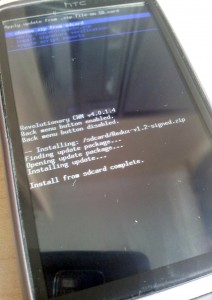
  • Select ‘Install zip from sdcard’ then ‘Choose zip from sdcard’.
  • Choose your root zip file, should be named Superuser-3.0.7-efgh-signed.zip.
  • Power off the phone from the CWM menu.
You now have an HTC desire with root and a custom recovery.

Custom ROM

We will use CWM to partition the SD card then install a custom ROM.
There are some dire warnings online about not partitioning an SD card with CWM, these apply to old versions of CWM and can be ignored with the current version.
This process will wipe the SD card. Copy the contents of it onto your computer first if you want to keep them.

Partition the SD card

Goal is to provide two partitions on your phone:
  • An ext4-formatted partition of 1 or 2 GB on your SD card that the phone will use as internal storage.
  • The rest of the card as a fat32-formatted partition the phone will use as regular SD card storage.
The only complication here is the ext4 partition must come second on the card, the fat32 partition must come first. CWM will handle this for us.
On the phone:
  • Boot into HBOOT by powering off and holding ‘volume down’ and the power button.
  • Go into Recovery → Advanced → Partition SD card.
  • Set the sd-ext partition to be 1 GB.
  • You don’t need a swap partition but setting one of 32 MB will not hurt anything.
  • The partitioning and formatting will take a while. Leave it be.
  • When this is done power off the phone

Installing a custom ROM

Take out the SD card and connect to your Windows PC.
Download your custom ROM of choice. There are many available for the Desire so it depends on what features you want.
I am using the SuperNova ROM which is very good. It provides Gingerbread and HTC Sense and a fairly ‘stock’ experience. Importantly, The ROM has a stable Data2SD installed that provides ample internal storage using your SD card.
Download the latest SuperNova and put it on your SD card. SuperNova instructions are here.
Quick version:
  • Shut down your phone and reboot to HBOOT.
Select Recovery, then:
  • Wipe data/factory reset
  • Install zip from sdcard → choose zip from sdcard → pick the SuperNova file.
Question: is it required to wipe cache and/or dalvik cache? Think it doesn’t hurt at the first install of SuperNova but should never be done when upgrading.
SuperNova is a big file so this process takes a while. It provides updates as it goes. Once it’s finished power off.
At first boot:
  • Allow the phone to boot, then answer all the questions asked except skip the Google account setup. Check About → Software shows the build as SuperNova.
  • Don’t restore data or apps yet. Reboot the phone.
  • At this point Data2SD runs during boot. When the phone has finished booting up, check the internal storage – it should be 900+ MB.From Recovery:

New Radio

Not the Bikini Kill song. The radio is software on the phone that allows you to make phone calls and use mobile Internet.
There seem to be incompatibilities between different Android releases, different custom ROMs, and different radio versions.
Best approach is to leave your radio alone and check if everything works with your new ROM.
  • If it does not, install the most recent radio release. SuperNova recommend you use this – version 5.17.05.23.
  • If this does not work then downgrade to version 5.09.05.30 recommended by Mo Firouz. This worked for me on Gingerbread when my current radio and the newest radio didn’t work.

Flashing the radio

This is complex. The radio as you download it cannot be loaded directly using CWM as they are only distributed in an old and incompatible format. Ignore the steps on the download page above.
You can flash the radio using fastboot. This is an insane hassle and there must be a better way, surely?
On the PC:
  • First install the Android SDK. This will take a while as the downloads are large files.
  • Download and install the HTC fastboot drivers mentioned in the Revolutionary documentation.
  • Download your radio file and extract the radio.img file from it.
  • Reboot to HBOOT then select Fastboot from the menu.
  • Connect the phone using USB. Your phone screen should update to say ‘FASTBOOT USB’.
  • At this point you can issue commands using the ADB shell on your Windows computer.
  • Open a shell in Windows using cmd.exe. Navigate to the folder containing your radio.img file.
  • Note: online guides mention setting the system PATH variable. Don’t worry about this, you can just run the fastboot program directly.
  • Find fastboot.exe – it will be somewhere in the Android SDK folder. On my 64-bit Windows 7 machine, it’s:
c:\Program Files (x86)\Android\android-sdk\platform-tools\fastboot.exe
  • Flash the radio using this fastboot command:
c:\Program Files (x86)\Android\android-sdk\platform-tools\fastboot.exe flash radio radio.img

Download Windows 8 highly compressed (8 MB)

System Requirement!
  • 1GHz or faster processor
  • 1GB RAM (32-bit) or 2GB RAM (64-bit)
  • 16GB available hard-disk space (32-bit) or 20GB (64-bit)
  • DirectX 9 graphics device 
 Screen Shot !
 

Nero 7 Premium Edition Full Version Free Download

Nero 7 Premium Edition Full Version Free Download!
Serial keys:
1C80001080100000000861848091
or
1C80-0010-8011-0000-6684-3553-7161

Asus slimbook X401U driver for window 7,8 & XP

Asus slimbook X401U Drivers For Window 7,8,Xp!
Chipset
 
Realtek Audio Driver
 
Touchpad Driver
 
 Atheros Wireless Lan Driver
 
Foxconn Wireless Lan Driver
 
ASUS Virtual Touch Utility
 
Instant On
 
ASUS FaceLogon Utility